Chrome and Edge extension

TraceDeck

Trace redirects and test request behavior from one popup.

For web developers, QA engineers, and technical support teams.

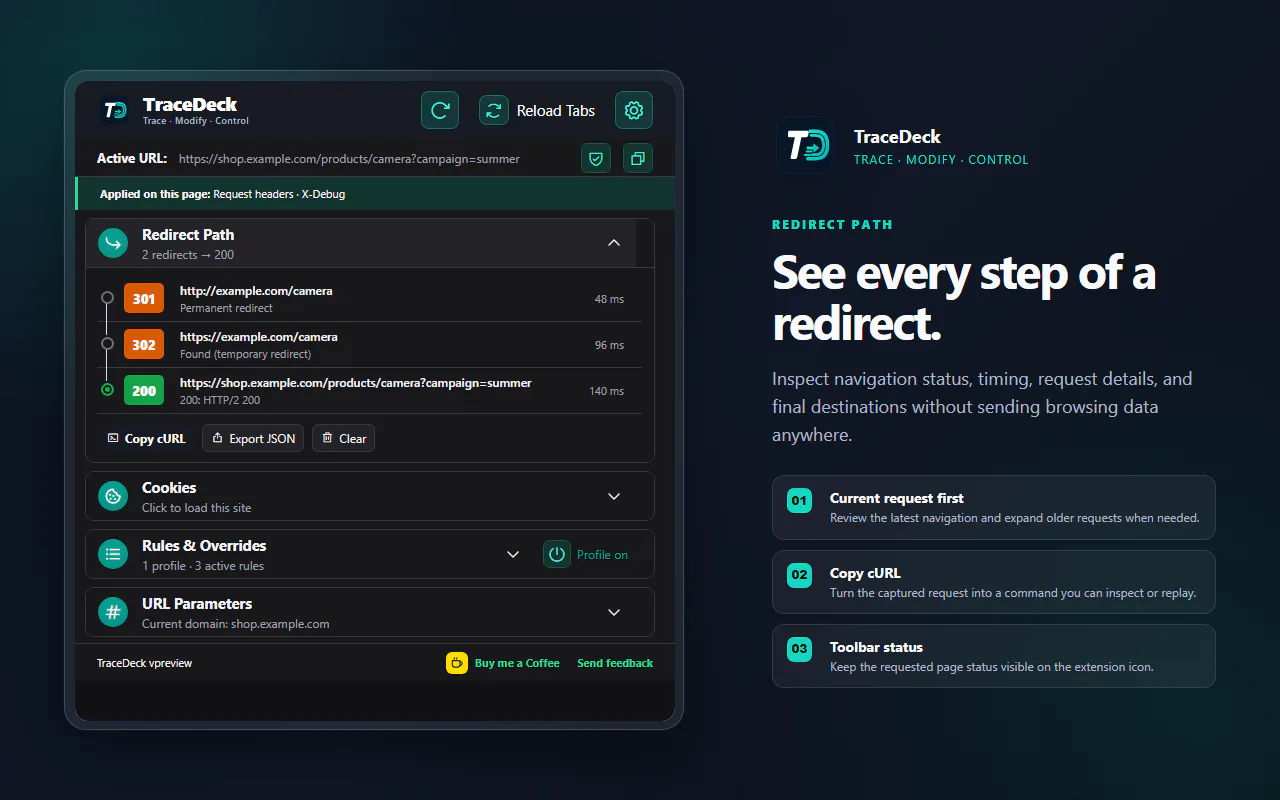
TraceDeck shows every navigation hop, header, cookie, and rule affecting the current page. Test a change in a scoped profile, then export a redacted trace.

  • Local configuration
  • No telemetry
  • Chrome and Edge
TraceDeck popup showing a redirect path with request status and timing

A real workflow

Keep request changes reusable and precisely scoped.

Group headers, cookie overrides, and redirects into profiles that run only where and when you intend.
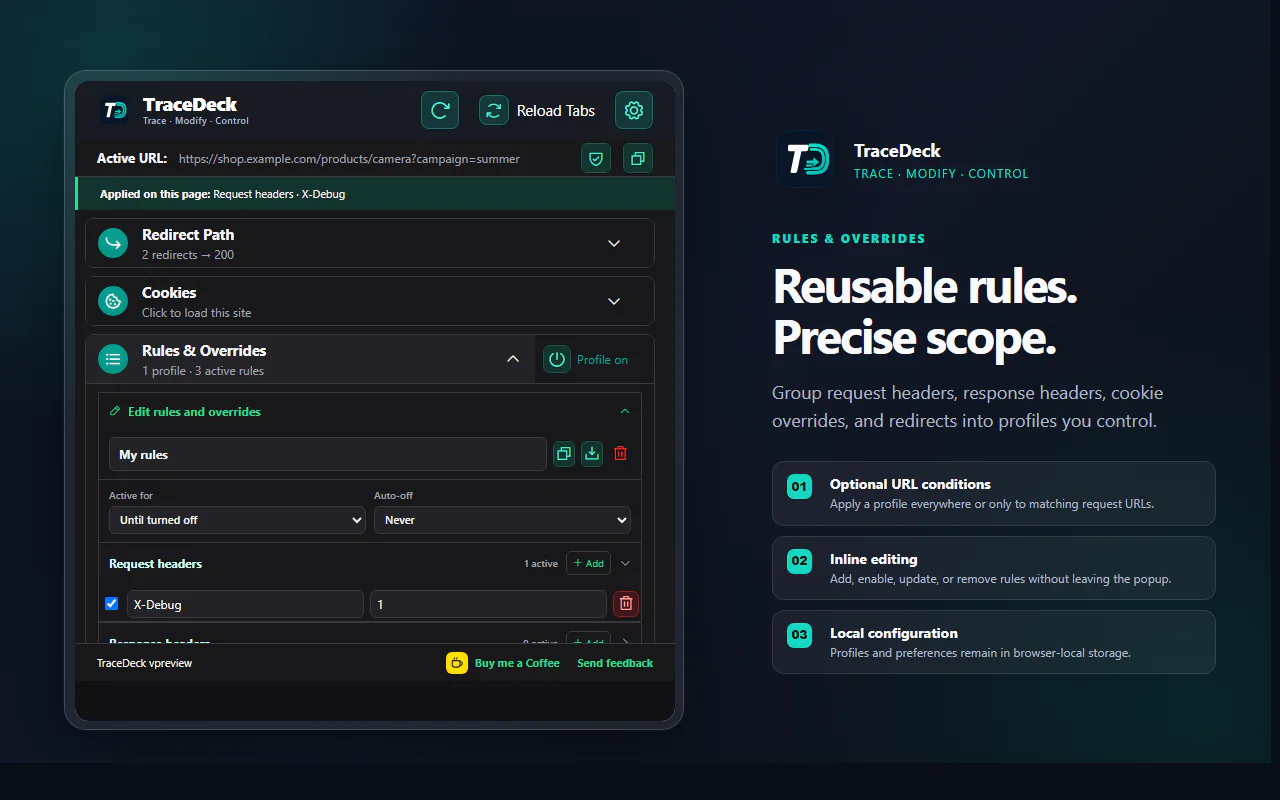
Keep request changes in scoped profiles. Group headers, cookie overrides, redirects, URL conditions, and expiry rules without losing the original setup.
TraceDeck rules and overrides editor showing a reusable request profile
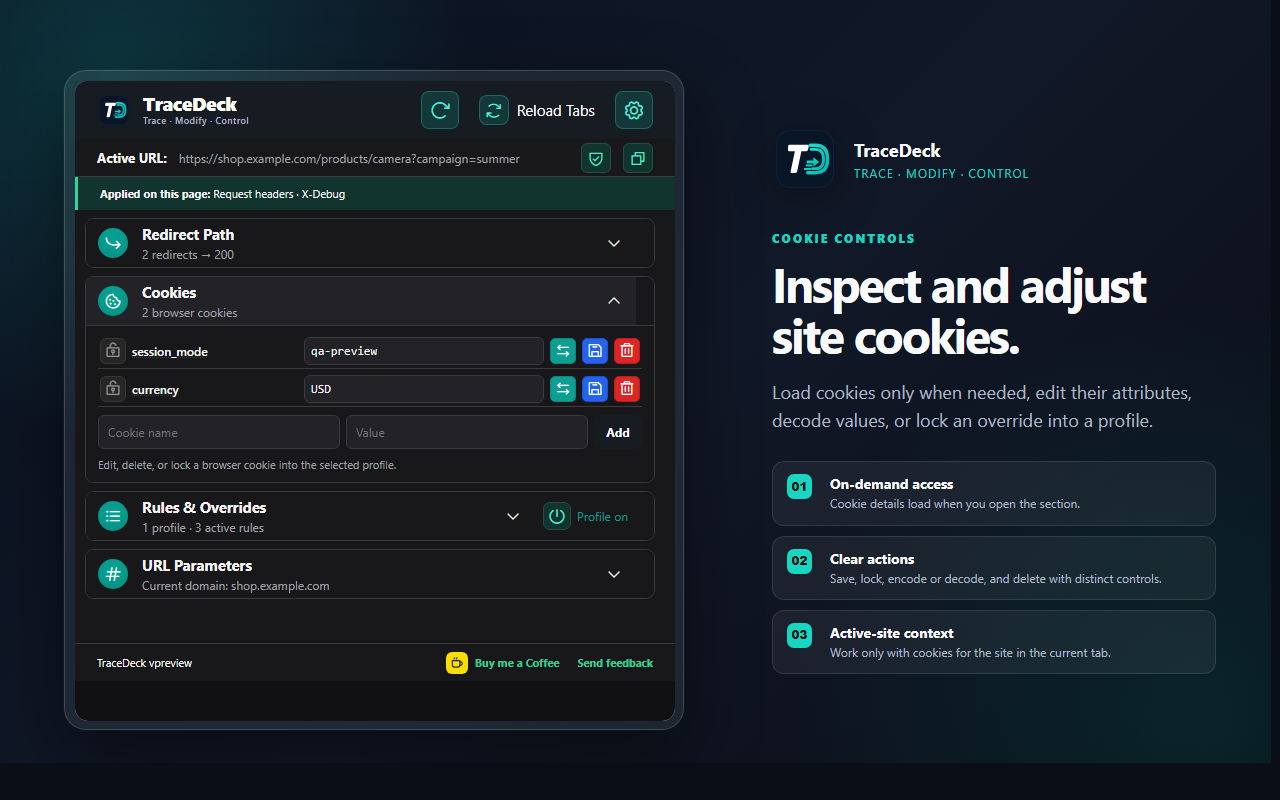
Inspect and edit site cookies. Review cookie attributes, update a value, or lock a selected cookie into the active request profile.
TraceDeck cookie controls showing cookie values and attributes for an approved site
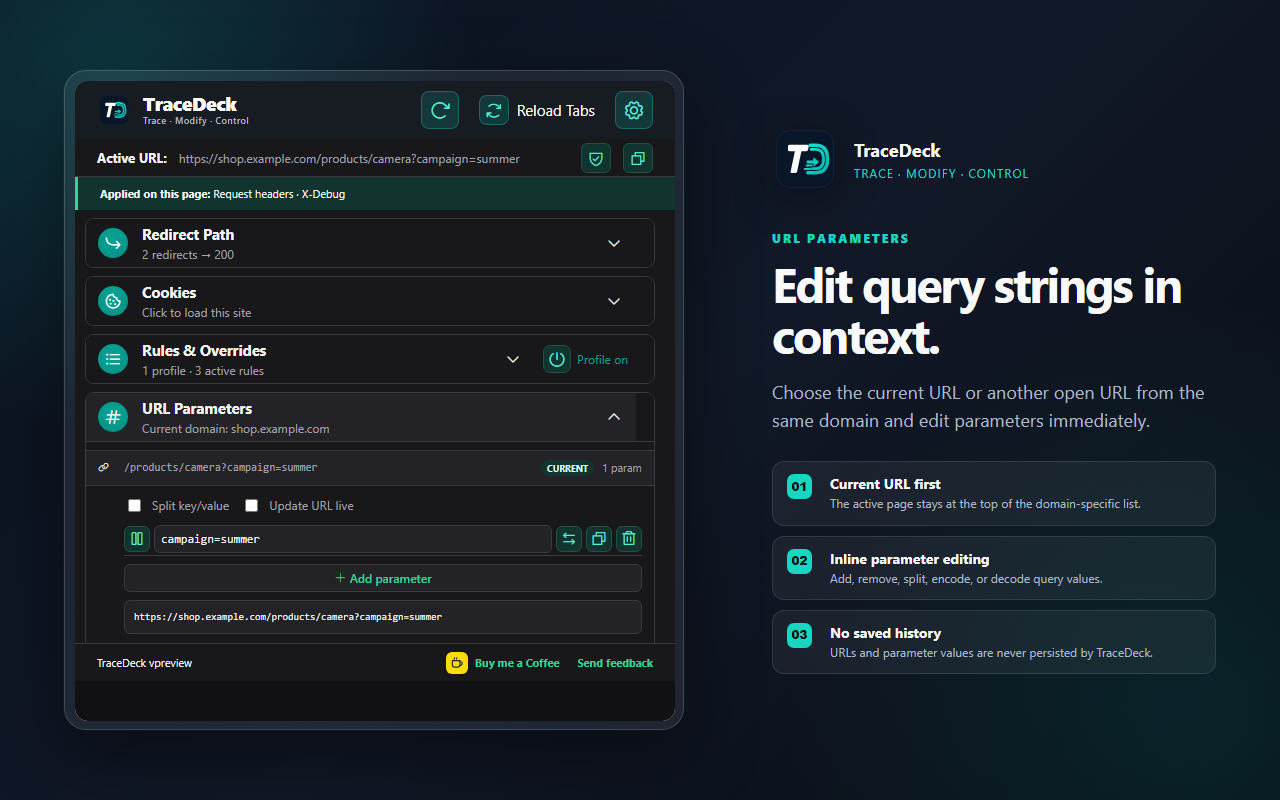
Edit URL parameters without rebuilding the address. Add, remove, copy, encode, or decode parameters, then open the resulting URL in the intended tab.
TraceDeck URL parameter editor showing editable query parameters
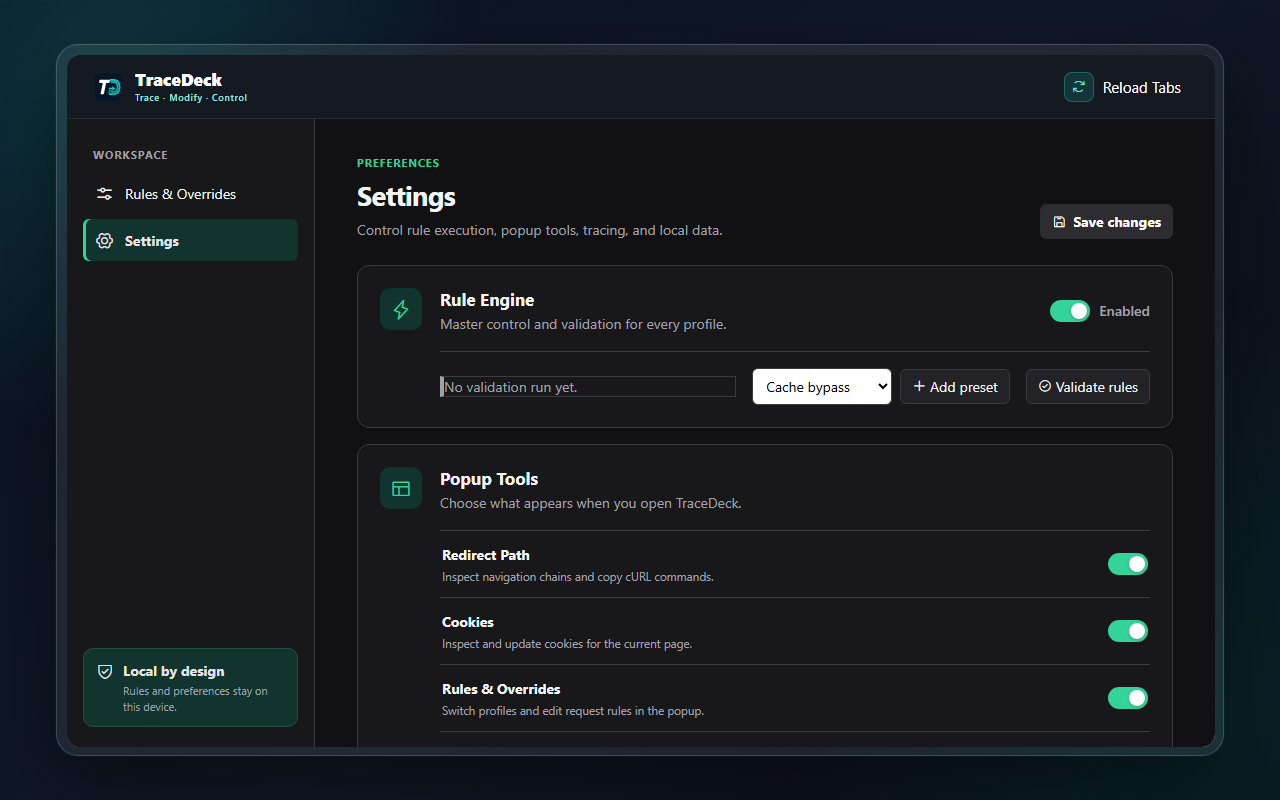
Control access and local configuration. Choose site permissions, visible tools, trace behavior, and local backup or restore options from one settings view.
TraceDeck settings showing site access, popup controls, and local backup options

Data handling

Request data and configuration stay local.

Profiles and settings remain in browser local storage. Redirect traces remain in memory. TraceDeck sends no request data or configuration to Sutrakara.

Read the privacy policy